Unlimiter
Overview
The Unlimiter module restores dynamics to audio that has been heavily limited or compressed. Using advanced machine learning, it estimates the transients lost during limiting and reconstructs them to bring back punch and musicality. Simply set the Threshold control (or use Learn for automatic detection), then adjust the Amount to recover the missing peaks. With its waveform and gain displays, Unlimiter provides clear visual feedback, making it easy to dial in subtle restoration or more dramatic enhancement to prepare your track for mastering.
Unlimiter contains the following sections:
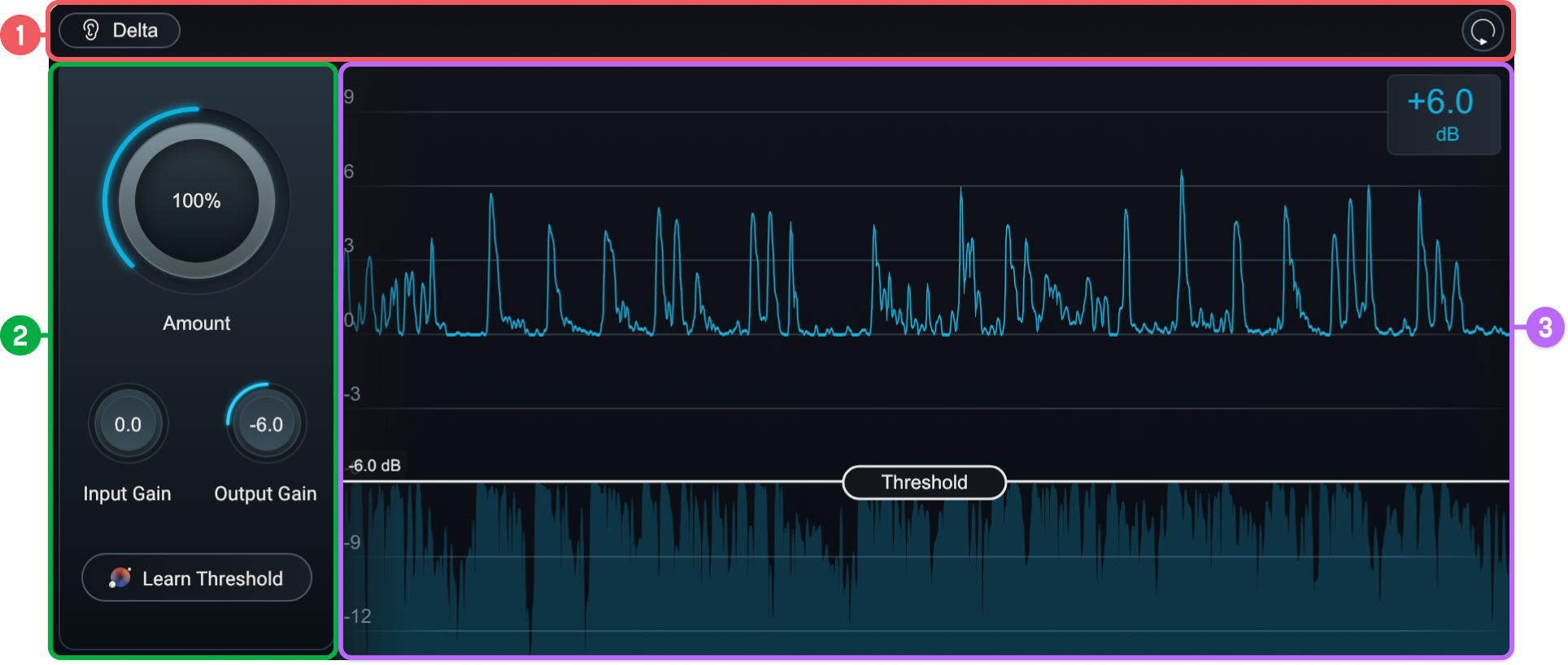 |
Module Header
The Unlimiter module header has the following elements:
 |
Delta: Monitors the difference in the signal before and after the Unlimiter module.
Reset: Returns all module controls to their default values.
Controls Panel
The Unlimiter Controls Panel has the following elements:
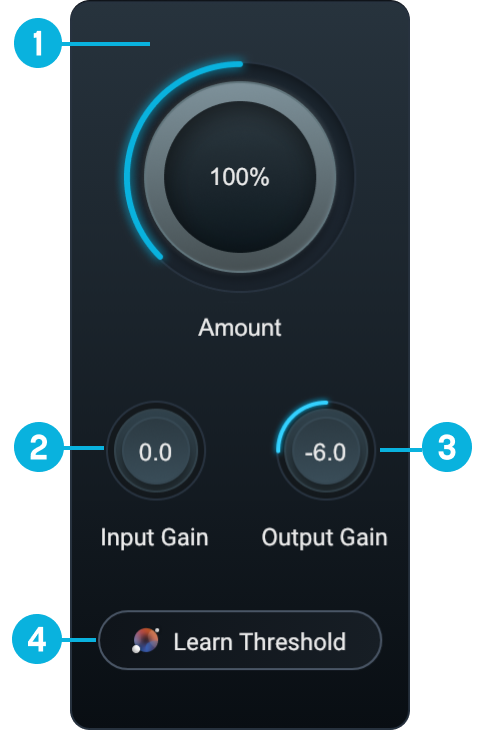 |
Amount: Adjusts the strength of the Unlimiter processing. At 100%, transients are restored to the level predicted by the Unlimiter neural network, approximating the signal’s sound before limiting. Values above 100% (up to 200%) apply an enhanced transient effect for a more pronounced result.
Input Gain: Sets the level of the signal before Unlimiter processing. Changes made here are reflected in the scrolling waveform display.
Output Gain: Sets the level of the signal after Unlimiter processing. Use this control for proper gain staging into downstream modules.
Learn Threshold: Automatically configures the Unlimiter threshold. Click the button and play audio; the module analyzes the input signal and sets the threshold to the highest measured sample peak.
Threshold, Waveform, and Gain Readout
This section of the Unlimiter provides visual feedback and control for threshold and gain activity:
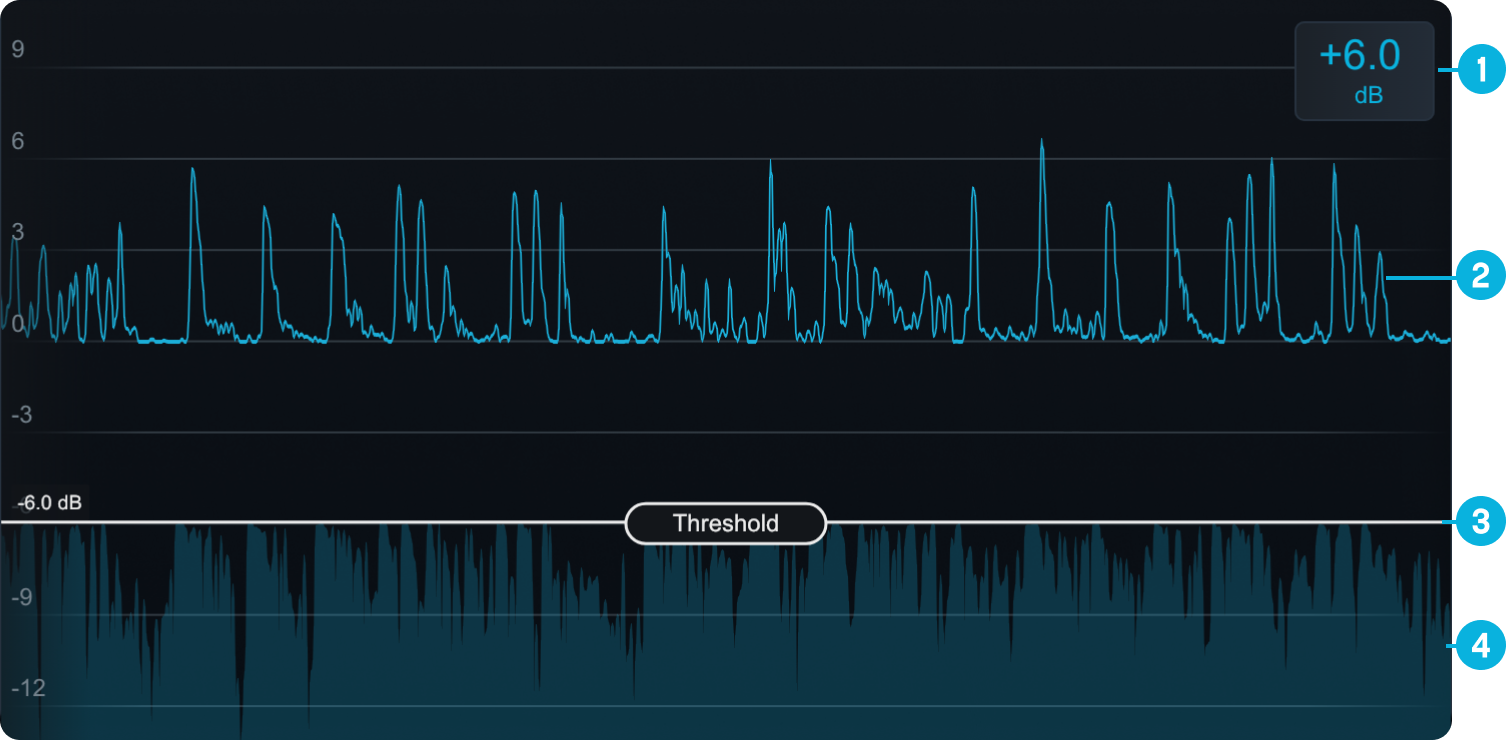 |
Gain Readout: Displays the maximum amount of gain applied to the signal, with a 1-second peak hold.
Gain Trace: Shows the gain adjustment curve applied to the signal over time.
Threshold: Sets the level where the Unlimiter assumes limiting has occurred. For best results, adjust this control to match the level where the source material was originally limited. Lowering the threshold below the actual peak level exaggerates the effect, making the neural network treat the signal as if it were more heavily limited. Raising the threshold above the waveform’s peak level reduces the intensity of the processing.
Waveform: Displays the input signal amplitude before Unlimiter processing. The waveform display is affected by adjustments to the Input Gain control.