Clarity
Overview
Clarity uses hundreds of bands to maximize the spectral power of your audio. This is achieved by adaptively contouring the spectrum towards flat noise. Clarity will tame resonances and unmask background content. This can effectively “pull the blanket off” dull mixes without sounding harsh.
In scientific, blind listening tests we have also found that the Clarity processing can increase the perceived loudness of a master at the exact same integrated LUFS.
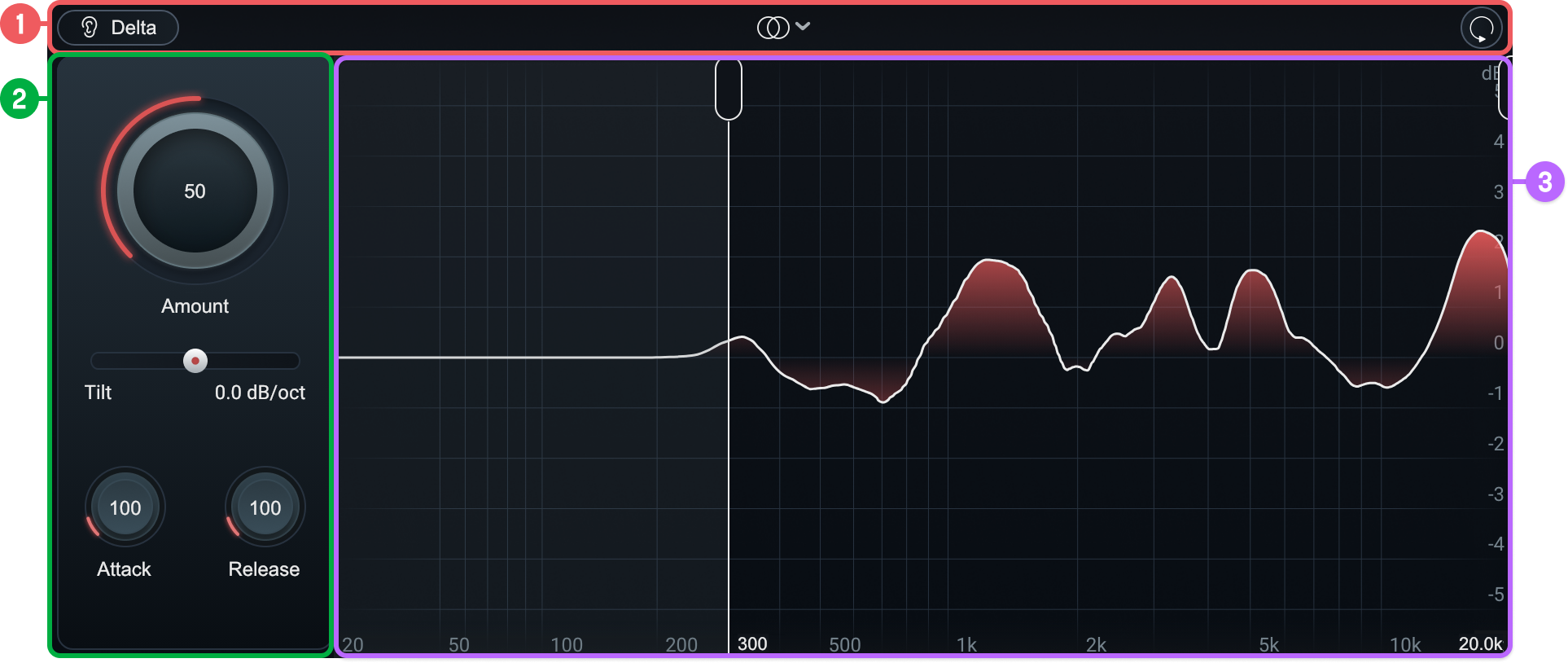
The Clarity interface includes the following sections:
 |
Module Header
The module header includes the following controls:
 |
Delta: Monitors the difference in the signal before and after the Clarity module.
Channel Processing Mode: Selects the Channel Processing Mode used in the Clarity module.
The Clarity module supports Stereo, Mid/Side, or Transient/Sustain mode.
See the General Controls chapter for more information.
Reset: Returns all module controls to their default values.
Controls
The Clarity module includes the following controls:
Amount: Scales the gain of Clarity’s spectral processing. At 100, the maximum gain that Clarity can possibly boost or cut is 6 dB.
Tilt: Adjusts the flat target that Clarity is contouring towards. At the default 0 dB/oct, the target is pink noise. This can be adjusted in dB/oct where positive values are brighter and negative values are darker. For example, tilting +3dB/oct will target white noise. A Tilt of -3 dB/oct will target brown noise.
Attack: Adjusts the amount of time (in milliseconds), for Clarity to react to the incoming signal.
Release: Adjusts the amount of time (milliseconds) for Clarity to return to a baseline of no gain change.
Difference Meter and Action Region
Displays the tonal changes that the Clarity processing is applying. This is similar to an EQ where frequency is measured from left to right and gain is up and down. Different from an EQ, Clarity will adapt its spectral contour over time.
The Clarity processing can be constrained to a particular frequency area with the action region handles. The action region allows for processing between 300 Hz and 20kHz.